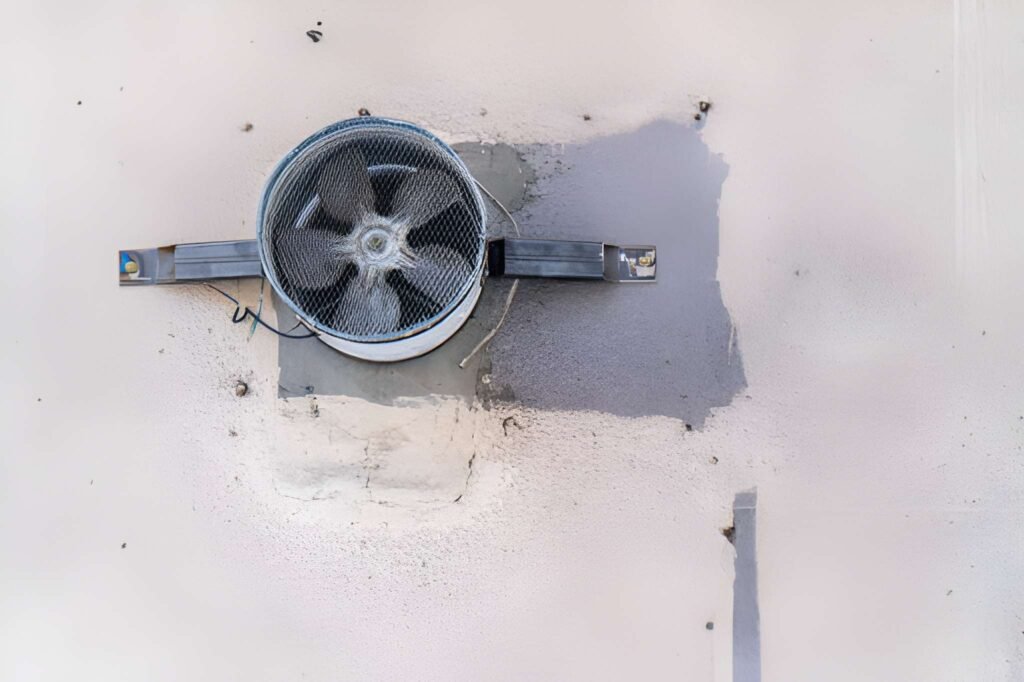
A whole house fan is a highly effective, energy-efficient cooling system that works by pulling cool evening air in through open windows and exhausting hot, stagnant air from the house up into the attic and out through the attic vents. When functioning properly, it can dramatically reduce reliance on air conditioning. However, as a mechanical system with an electric motor and moving parts, it is susceptible to wear and failure. Repairing a whole house fan requires a methodical approach to diagnose the specific issue, which can range from simple electrical fixes to more complex mechanical replacements.
The Diagnostic Process: Identifying the Problem
Before any repair begins, a thorough diagnosis is essential. Safety is the first priority: Always turn off the power to the fan at the circuit breaker before performing any inspection or repair.
Common Symptoms and Their Likely Causes:
- Fan Doesn’t Turn On:
- Cause: No power, a tripped breaker, a faulty wall switch, a failed capacitor, or a burned-out motor.
- Diagnosis: Check the circuit breaker first. If it’s tripped, reset it. If it trips again, there is a short circuit. Test the wall switch with a multimeter. If power is reaching the unit, the capacitor or motor are the primary suspects.
- Fan Hums but Doesn’t Spin:
- Cause: This is a classic sign of a failed start capacitor. The capacitor provides the initial jolt of electricity to get the motor spinning. Without it, the motor just hums. Less commonly, the motor bearings could be seized.
- Diagnosis: Visually inspect the capacitor for bulging, leaking, or a burnt smell. A multimeter with capacitance testing capability can confirm if it’s dead.
- Fan is Noisy (Grinding, Squealing, Rattling):
- Cause:
- Grinding/Squealing: Worn-out or dry motor bearings.
- Rattling/Vibration: Loose mounting hardware, the fan blade is out of balance, the fan belt is loose (on belt-drive models), or debris is hitting the blades.
- Diagnosis: Visually inspect for loose bolts or screws. Manually spin the fan blade (power off!) to feel for roughness or listen for grinding. Check for leaves or other debris in the housing.
- Cause:
- Fan Vibrates Excessively:
- Cause: An unbalanced fan blade, often due to a bent blade or a broken blade tip. It can also be caused by a loose motor mount.
- Diagnosis: Visually inspect the blades for damage. A wobbly appearance when spinning indicates imbalance.
- Reduced Airflow:
- Cause: A loose fan belt on a belt-drive model, a dirty or bent fan blade, or the motor is running at the wrong speed due to an electrical issue.
- Diagnosis: Inspect the blades for caked-on dust and clean them. On belt-drive models, check the belt tension.
Common Repairs: From Simple to Complex
1. Replacing a Capacitor (A Common DIY Repair)
- Skill Level: Intermediate DIY (if comfortable with electrical work).
- Process:
- Power Off: Confirm power is off at the breaker.
- Access: Remove the fan cover or grille to access the motor compartment.
- Discharge the Old Capacitor: Short the terminals with an insulated screwdriver to discharge any stored electricity (CRITICAL SAFETY STEP).
- Document Wiring: Take a photo of the wiring configuration.
- Replace: Disconnect the wires from the old capacitor and install the new one of the exact same microfarad (µF) rating and voltage.
- Reassemble and Test.
2. Replacing the Fan Belt (Belt-Drive Models Only)
- Skill Level: Beginner to Intermediate DIY.
- Process:
- Power Off.
- Access the motor and pulley.
- Loosen the motor mounting bolts to create slack.
- Slip the old belt off and the new one on.
- Tension the Belt: Adjust the motor position until the belt has about 1/2 to 1 inch of play when pressed in the middle. Tighten the mounting bolts.
- Test.
3. Motor Bearing Replacement or Motor Swap
- Skill Level: Advanced DIY or Professional.
- Process: This often involves disassembling the motor itself, which can be complex. For most homeowners, replacing the entire motor assembly is more straightforward.
- Power Off.
- Disconnect Wiring: Label all wires before disconnecting.
- Unbolt the motor from its mounting bracket.
- Install the new motor, ensuring it is the same horsepower (HP), RPM, and frame size.
- Reconnect wiring and test.
4. Fan Blade Replacement or Rebalancing
- Skill Level: Intermediate DIY.
- Process:
- Power Off.
- Secure the blade from turning.
- Remove the setscrew or nut holding the blade to the motor shaft.
- Install the new blade or carefully straighten a bent blade if possible.
- If vibration persists, a professional may need to dynamically balance the blade.
The Decision: DIY vs. Professional
Call a Professional (HVAC or Electrician) When:
- You are uncomfortable working with electricity.
- The circuit breaker keeps tripping (indicating a short).
- The motor needs replacement and the wiring is complex.
- The fan is very old, and parts are difficult to source.
- The repair involves structural elements of the roof or ceiling.
A Realistic Cost Outlook:
- Service Call & Diagnosis: $100 – $200
- Capacitor Replacement: $150 – $300 (parts and labor)
- Full Motor Replacement: $400 – $800+
- New Whole House Fan Installed: $1,500 – $3,500 (if repair is not cost-effective)
Whole house fan repair is often a feasible and cost-effective alternative to full replacement. A successful repair hinges on a correct diagnosis. By starting with the simplest and most common fixes—like checking the capacitor and ensuring the unit is clean and tight—many homeowners can restore their whole house fan to efficient operation. For more complex issues like motor failure or persistent electrical problems, engaging a qualified professional ensures the repair is done safely and correctly, preserving this valuable tool for energy-efficient home cooling for years to come.